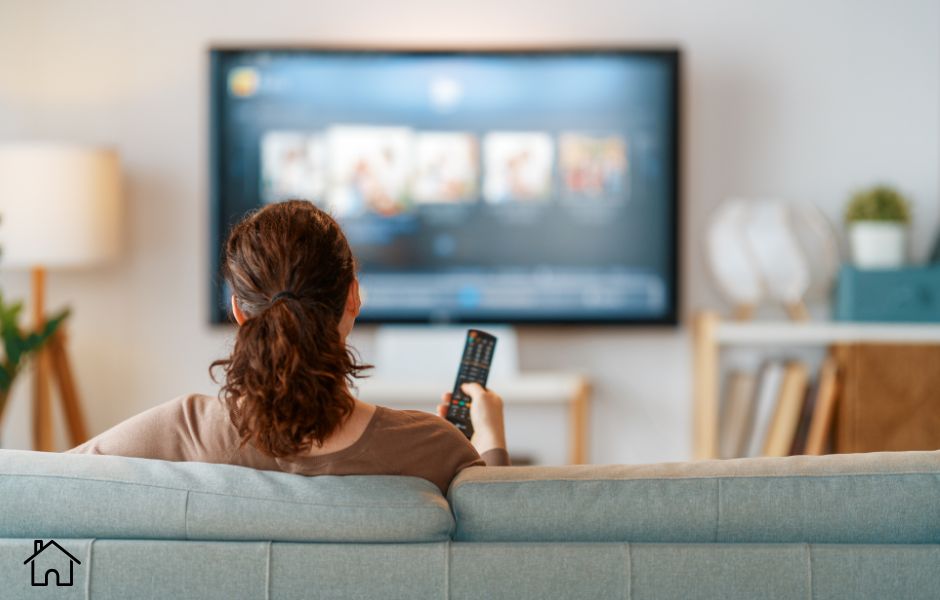
Nothing ruins a cozy night in faster than technology that just won’t cooperate. You’ve picked the movie, made the popcorn, and settled onto the couch, only to be met with a glitchy screen or a Wi-Fi connection that just won’t, well, connect.
These common home entertainment headaches can be incredibly frustrating, but the good news is that many of them have simple solutions you can handle yourself. From a fuzzy picture to a spotty internet connection, let’s walk through how to troubleshoot your setup and get back to enjoying your downtime.
Fuzzy Pictures and Choppy Sound
When your favorite show looks more like a pixelated mess and the audio cuts in and out, it’s easy to get annoyed. Before you blame the streaming service, start with the basics.
First, check your physical connections. An HDMI cable that’s slightly loose can cause all sorts of picture and sound problems.
Unplug it from both the TV and your device (like a cable box or gaming console) and plug it back in securely. If that doesn’t work, try swapping it with a different HDMI cable to see if the cable itself has gone bad.
If you use an antenna for local channels, signal issues can also be a major culprit. Things like bad weather, new construction nearby, or even aging equipment can degrade your TV reception.
Sometimes, simply repositioning an indoor antenna can make a world of difference.
Dealing with Wi-Fi Dead Zones
Is your Wi-Fi signal strong in the living room but non-existent in the bedroom? You’re likely dealing with a Wi-Fi dead zone. These are spots in your home where the wireless signal from your router just can’t reach effectively. This can be caused by distance, thick walls, or interference from other appliances.
The first thing to try is moving your router to a more central location in your home, away from walls and obstructions. If that’s not possible or doesn’t solve the problem, you might need a little help.
Wi-Fi extenders or a mesh Wi-Fi system are great for fixing WiFi dead zones and ensuring you can get internet throughout your home. A mesh system uses multiple units placed around your house to create one big, strong network.
Mounting Your TV Safely
Mounting a TV on the wall is a great way to save space and create a sleek, modern look. But it’s a job that needs to be done correctly to avoid disaster.
The most critical step is finding the wall studs. Drywall alone is not strong enough to hold the weight of a TV. Use a stud finder to locate the wooden supports inside your wall and mark their centers.
You also need to choose the right mount for your TV’s size and weight, as specified by the manufacturer. When drilling, double-check that there are no electrical wires or pipes in the area. If you feel uncertain at any point, it’s far better to pause and get help than to risk your expensive TV crashing to the floor.
Optimizing Your Streaming Experience
Even with a perfect Wi-Fi signal, your streaming quality can sometimes be disappointing. If you’re experiencing constant buffering, your internet speed might not be up to the task. Run an internet speed test to see what you’re working with. For 4K streaming, most services recommend at least 25 Mbps.
If your speed is low, consider connecting your streaming device directly to your router with an Ethernet cable. A wired connection is almost always faster and more stable than Wi-Fi. You can also go into your streaming app’s settings and manually lower the video quality from 4K or HD to standard definition, which requires less bandwidth and should stop the buffering.
When DIY Isn’t Enough
While many home entertainment issues can be solved with a bit of troubleshooting, there are times when it’s best to call in a professional.
If you’ve tried all the simple fixes for poor reception and still have issues, or if you’re uncomfortable with the idea of drilling into your walls to mount a TV, an expert can get the job done safely and efficiently.
Complex home theater installations with multiple speakers, receivers, and custom wiring are also best left to those with experience.
A professional can diagnose persistent, tricky problems and ensure your whole system is set up for optimal performance, saving you time and preventing potential damage.
Don’t let tech troubles stand between you and a relaxing evening. Knowing how to tackle these common issues helps you keep your home entertainment system running smoothly.